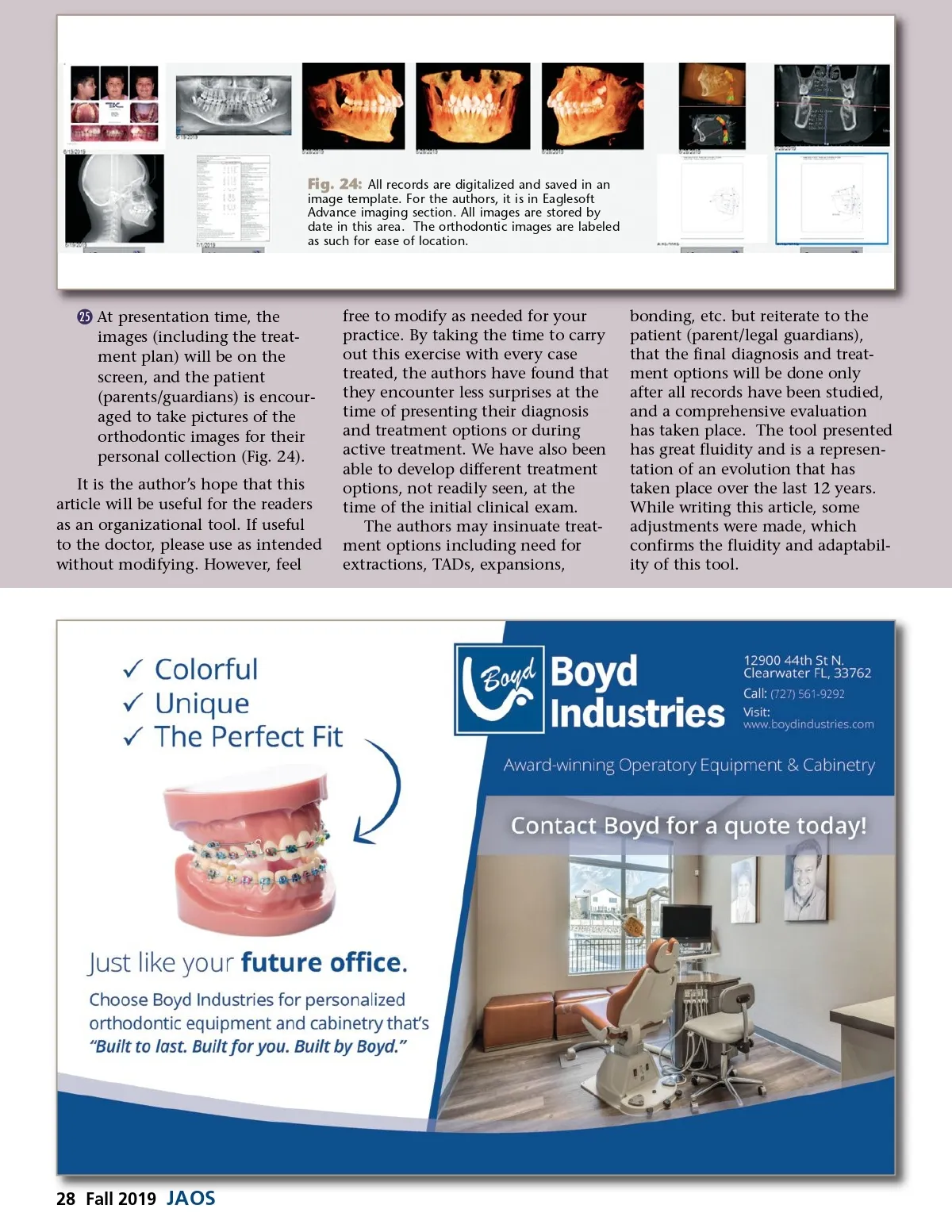
Fig. 24: All records are digitalized and saved in an image template. For the authors, it is in Eaglesoft Advance imaging section. All images are stored by date in this area. The orthodontic images are labeled as such for ease of location. © 25 At presentation time, the images (including the treat-ment plan) will be on the screen, and the patient (parents/guardians) is encour-aged to take pictures of the orthodontic images for their personal collection (Fig. 24). It is the author’s hope that this article will be useful for the readers as an organizational tool. If useful to the doctor, please use as intended without modifying. However, feel free to modify as needed for your practice. By taking the time to carry out this exercise with every case treated, the authors have found that they encounter less surprises at the time of presenting their diagnosis and treatment options or during active treatment. We have also been able to develop different treatment options, not readily seen, at the time of the initial clinical exam. The authors may insinuate treat-ment options including need for extractions, TADs, expansions, bonding, etc. but reiterate to the patient (parent/legal guardians), that the final diagnosis and treat-ment options will be done only after all records have been studied, and a comprehensive evaluation has taken place. The tool presented has great fluidity and is a represen-tation of an evolution that has taken place over the last 12 years. While writing this article, some adjustments were made, which confirms the fluidity and adaptabil-ity of this tool. 28 Fall 2019 JAOS
Journal of the American Orthodontic Society Fall 2019: Page 28