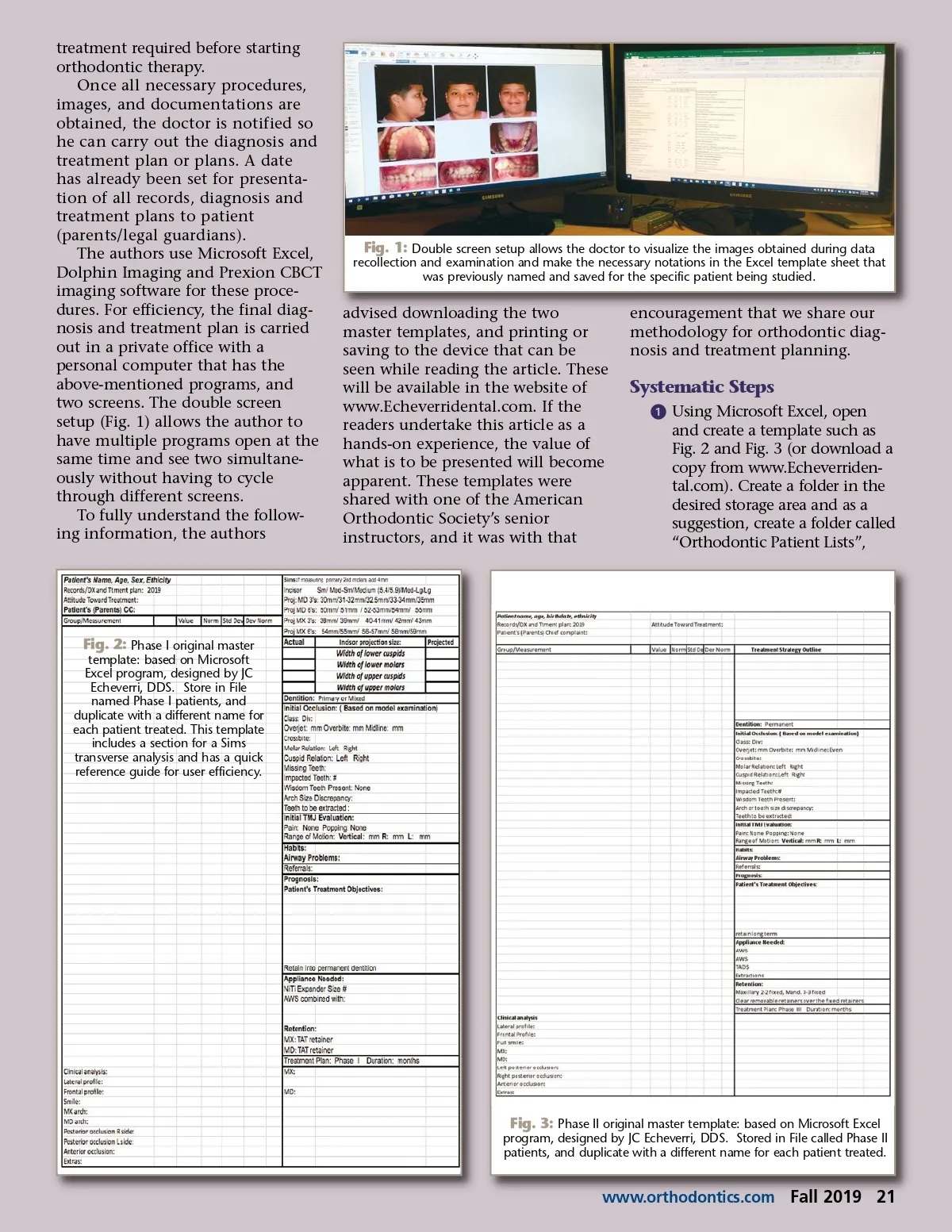
treatment required before starting orthodontic therapy. Once all necessary procedures, images, and documentations are obtained, the doctor is notified so he can carry out the diagnosis and treatment plan or plans. A date has already been set for presenta-tion of all records, diagnosis and treatment plans to patient (parents/legal guardians). The authors use Microsoft Excel, Dolphin Imaging and Prexion CBCT imaging software for these proce-dures. For efficiency, the final diag-nosis and treatment plan is carried out in a private office with a personal computer that has the above-mentioned programs, and two screens. The double screen setup (Fig. 1) allows the author to have multiple programs open at the same time and see two simultane-ously without having to cycle through different screens. To fully understand the follow-ing information, the authors Fig. 1: Double screen setup allows the doctor to visualize the images obtained during data recollection and examination and make the necessary notations in the Excel template sheet that was previously named and saved for the specific patient being studied. advised downloading the two master templates, and printing or saving to the device that can be seen while reading the article. These will be available in the website of www.Echeverridental.com. If the readers undertake this article as a hands-on experience, the value of what is to be presented will become apparent. These templates were shared with one of the American Orthodontic Society’s senior instructors, and it was with that encouragement that we share our methodology for orthodontic diag-nosis and treatment planning. Systematic Steps ᕡ Using Microsoft Excel, open and create a template such as Fig. 2 and Fig. 3 (or download a copy from www.Echeverriden-tal.com). Create a folder in the desired storage area and as a suggestion, create a folder called “Orthodontic Patient Lists”, Fig. 2: Phase I original master template: based on Microsoft Excel program, designed by JC Echeverri, DDS. Store in File named Phase I patients, and duplicate with a different name for each patient treated. This template includes a section for a Sims transverse analysis and has a quick reference guide for user efficiency. Fig. 3: Phase II original master template: based on Microsoft Excel program, designed by JC Echeverri, DDS. Stored in File called Phase II patients, and duplicate with a different name for each patient treated. www.orthodontics.com Fall 2019 21
Journal of the American Orthodontic Society Fall 2019: Page 21